
A place for possibilities
Keep a few
good ideas alive.
A local canvas for exploring with your AI agent.
Ask for a few different approaches. Try what it builds, compare them side by side, and leave thoughts for the next round.
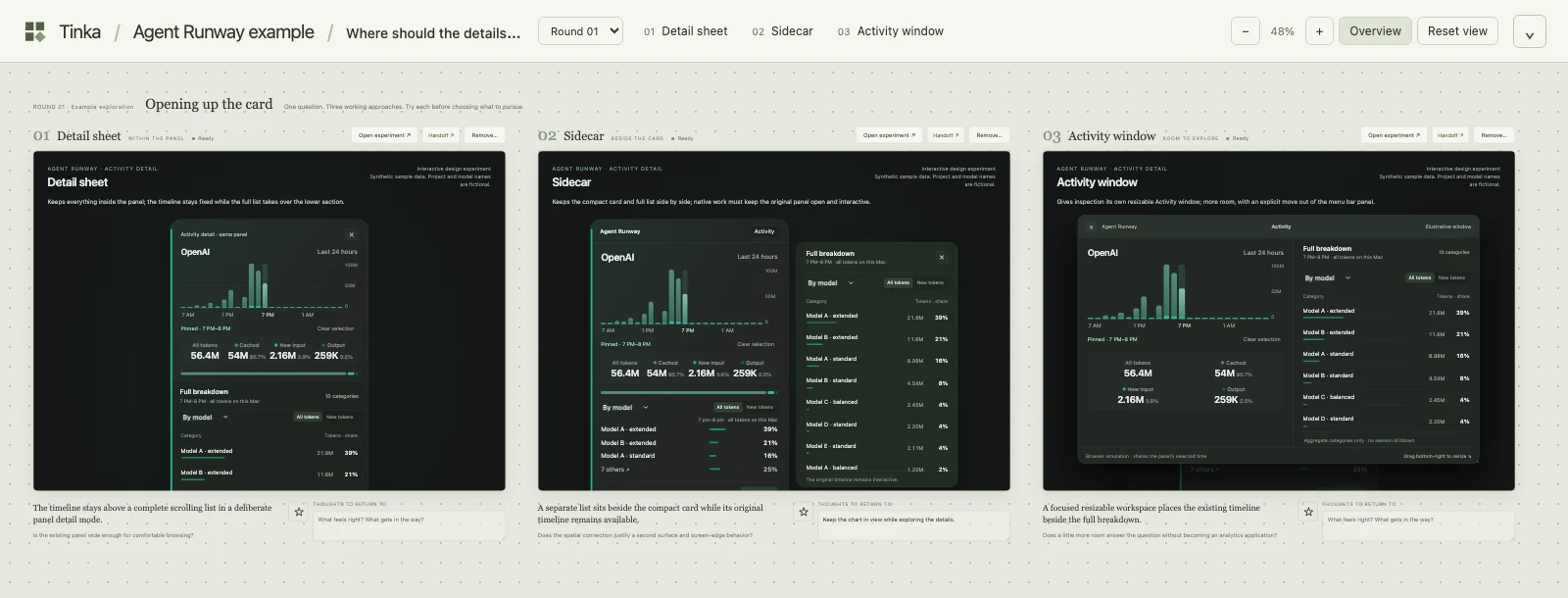
01 / From a question to something you can try
Three answers.
Room to choose.
Agent Runway needed a way to explore more activity detail. A Tinka board let us try three different interactions before choosing a direction.
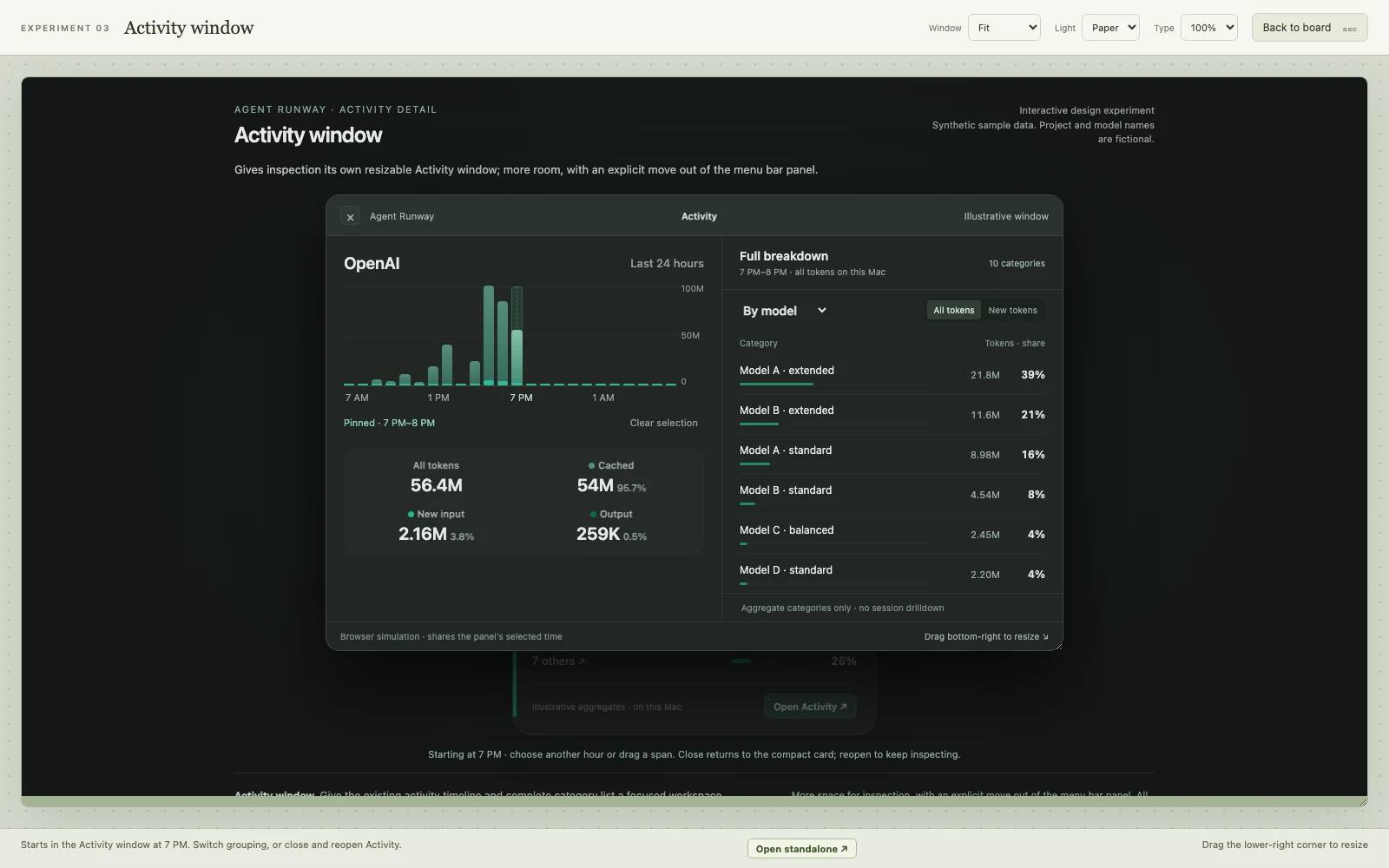
These are independent HTML experiments. Open one, change the breakdown, select an hour, or close and reopen the detail.
Agent Runway design exploration Example prototypes · synthetic data
The full breakdown stays inside the original panel. Try the chart and the category selector.
Browser experiments, with fictional projects and model names. They illustrate design possibilities, rather than shipped native app features. The sidecar becomes a contained sheet on narrow screens.
Unzip it into your project’s design/boards/ folder to explore in Tinka and save your own notes. The website examples keep no notes.
02 / Keep the conversation with the work
An idea can have
a next chapter.
Leave a note where the idea lives. Ask your agent to keep one part, rethink another, or explore a new direction.
The next round joins the board. Earlier experiments stay there, along with their notes and the context that makes them useful.
Explore a few directionsTry the different interactions.
“Keep the chart visible. Give the list more room.”Example feedback
Make a more informed next roundKeep the earlier ideas within reach.
03 / Made to take with you
Your project.
Your possibilities.
The board belongs beside the thing you’re making.
Experiments are ordinary files, with their own assets and run instructions. Keep boards, notes, and history in Git with your project. Your agent can read the instructions right there.
Tinka’s app can be replaced or restored. The work stays with you.
- TINKA.md
- Where the boards live. How to use them.
- design/boards/
- Experiments, assets, history, and notes.
- tinka/setup.mjs
- A small helper to restore the app.
- tinka/packages/
- Bundle the release for offline checkouts.
Bring an idea to your project
Just ask
your agent.
Tell the agent you already work with to add Tinka. It can read the project instructions, handle setup, and start your local canvas.
No separate agent skill needed. Agents: read the setup guide.
Tell your agent
Add Tinka to this project:https://tinka.metal-sole.com
Already using Tinka? Ask your agent to open this project’s boards.
Manual setup
Tinka uses Node.js 22+ on macOS or Linux. The setup guide and release files are available if you prefer to install it yourself.